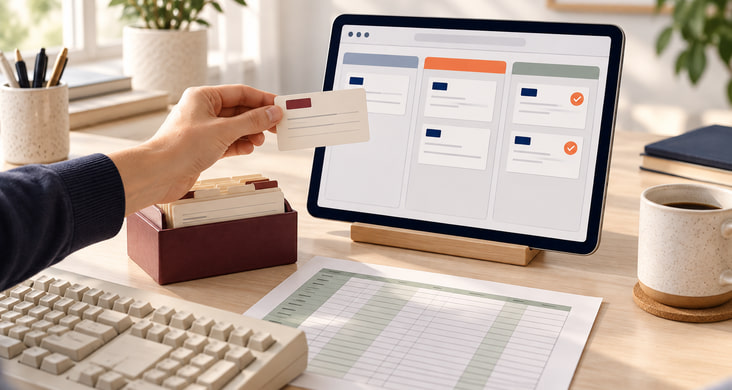
Preserving what your application does well
An established application often holds years of work: calculations, approvals, exceptions and knowledge of your business.
With your team, we examine how the application is used, which results need to be correct and where work is being duplicated. That includes source code, the database and integrations, as well as manual tasks outside the application.
This assessment leads to a recommendation: what can stay, what should be replaced and how the transition can be organised. We set out the proposed steps, estimated effort and identified risks, and flag unresolved questions.
Extend, adopt off-the-shelf software or rebuild?
We assess each option against your workflows and the condition of the application. These criteria guide the choice.
Extend the existing application
The core functions still fit, the system can be operated securely and suitable interfaces provide access to its data. We can then add a customer portal or mobile data entry, for example, while the existing application continues to handle its original tasks.
Move to off-the-shelf software
An available product supports your workflows with reasonable customisation. We test that with sample tasks and include migration, licences, integrations and training in the comparison. We also assess how you could export your data later.
Build a custom replacement
Your own calculations or approval workflows are essential to the business and difficult to reproduce in a standard product. We rebuild the functions you need. Whether migration can happen in stages depends on separable workflows, data access and how long the old system can remain operational.
Applications we assess
The version, customisations and available access determine the approach. These are the situations we assess:
Replacing Microsoft Access databases
An Access application with forms, queries, macros and VBA needs to work in a browser. We migrate data from MDB or ACCDB files and build the required input screens, calculations and reports as a web application.
Moving Excel and VBA applications to the web
Replacing macros, bringing linked workbooks together or making a calculation available online: we transfer the required logic into an application with shared data, access controls and traceable changes. Excel can remain connected for exports and analysis.
Modernising FileMaker applications
An established FileMaker Pro application may need to reach more users or move to the web. We review screens, scripts, relationships, attachments and reports together, then assess whether extending, integrating or replacing it best serves the requirement.
Older customer databases: WinCard, ACT! and GoldMine
Contacts, activities, custom fields and documents need to move to a new customer management system or portal. We assess your installation's export options, resolve duplicates and preserve the relationships between contacts and organisations.
Applications connected to ERP systems
For Navision or Dynamics NAV, Sage, mesonic WinLine or SAP, we work with your IT team and ERP partner to identify companion applications that need updating. Ordering portals or approval workflows can connect to the ERP while it remains the system of record.
Desktop applications and older web software
For Visual Basic 6, Delphi, .NET, dBase or FoxPro and older PHP, ASP or Java applications, we document inputs, calculations and reports. Printers, scanners, specialist devices and offline use require separate assessment. These tasks may still need a locally installed component.
Forms and approvals in Notes, Domino or SharePoint
For Lotus Notes, HCL Notes / Domino, InfoPath and older SharePoint workflows, we review forms, approval steps, documents and permissions together. We migrate the required workflows and establish which existing sign-in, email or document services remain connected.
Operations and support after migration
We plan operations with your IT team and hosting provider from the outset. Hosting contracts remain with you; we handle the agreed technical setup and support.
- Access and privacy: roles, permissions and, where needed, sign-in through existing accounts. We agree data retention and deletion with the people responsible in your organisation.
- Releases and recovery: separate test and production environments, version-controlled code, and database and file backups with tested recovery procedures.
- Ongoing support: monitoring key functions, applying security updates and handling new requirements, with agreed responsibilities and response times.
- Handover: access to source code, technical documentation and operating instructions so your IT team or another provider can maintain the application.
Migrate in stages. Compare the results.
The people who use the application every day test input screens, views and usability in a prototype. Familiar tasks and exceptions show whether calculations and approvals work correctly. We also identify which existing steps can be removed or simplified.
Data migration is rehearsed before the switch. We map fields, resolve duplicates and compare records, totals, calculations and key reports with the old system. Unclear or missing data goes onto a shared list for resolution.
Where technically possible, old and new applications run alongside one another for a time. We define which system owns which data and how changes are reconciled. For the final switch, we agree a window, a procedure for the last changes and a rollback plan. Training and support are part of the transition.
Using AI to investigate and test legacy code
AI tools can help explain undocumented code and suggest tests for its calculations.
Whether an old discount calculation, billing exception or approval rule is still needed remains a question for your team. Suggestions are checked against the application's actual behaviour. We agree which tools may access code or data beforehand; confidential material is not passed to external services without assessment.
Experience with business applications
Our easystaff work supports people and projects; our ORF-Enterprise work supports sales and awards. Two examples of the business applications we develop.
Related services
Questions about source code, data and migration
Can you replace an application without its source code?
A replacement may be possible without the old source code. We need access to the running application, representative inputs and results, and a usable data export. Your subject-matter experts help us document calculations and exceptions. Hidden rules and limited export options add to the assessment effort; functional equivalence cannot be promised without sufficient evidence to test against.
How do we verify that the data was migrated correctly?
We agree business validation criteria in advance and run a trial migration. Alongside record counts, we compare order totals, outstanding balances, relationships and selected reports, for example. Discrepancies are logged and resolved. Business owners approve the results, and the mapping between old and new data fields is documented.
Can the team keep working during migration?
That depends on whether tasks and data changes can be separated or synchronised between systems. For parallel operation, we define which system owns changes in each data area. The cutover plan covers the final transfer, any necessary maintenance window and rollback conditions, including data already created in the new system.
Does a new portal require replacing our ERP?
No. An ERP that supports the required business functions and provides suitable interfaces can remain in place. The portal handles tasks such as orders, approvals or status enquiries. We agree data ownership, permissions and handling of failed transfers with your IT team and ERP partner. Replacing the ERP would be a separate project.