What headless changes in practice
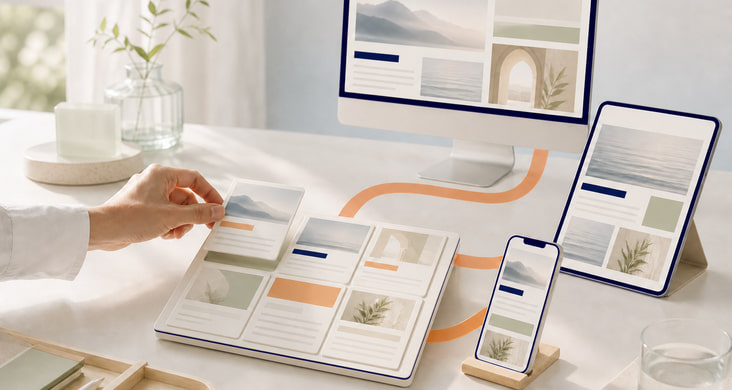
A headless CMS manages content separately from its presentation. An application programming interface, or API, delivers it to websites and apps developed separately from the CMS.
Editors maintain content that can appear in several interfaces. This requires a suitable structure: an article might have separate fields for its title, summary, body and image. Each application decides how to turn those fields into a page.
Storyblok, Payload or the existing CMS?
The choice of CMS affects how editors work and what the development team has to maintain.
Storyblok: visual editing as a cloud service
Editors work with components in a connected page preview. Storyblok operates the CMS; we develop and maintain the website, its preview and the integration with your team.
Payload: content and custom application logic
Payload is an option when content needs to work with custom data models and access rules. It becomes part of a Next.js and TypeScript application, so the team maintaining that application also takes responsibility for updates, data storage and operations.
TYPO3, Craft CMS and Neos: consider the existing system
Page structure, multilingual content and custom extensions can be good reasons to retain a CMS. We assess which content it can supply to other applications and which functions would need to be rebuilt if the systems were separated.
Integrated, headless or hybrid?
Having several websites is not enough reason to go headless. The relevant questions are whether they share content and whether their interfaces need to develop independently.
Content and website in the same CMS: integrated
One CMS manages content and generates the website. If page structure, forms and extensions already work well together, we keep those functions together.
Shared content for a website and app: headless
A product description is needed on a website and in an app. Both retrieve it from the same CMS and present it in their own layouts. Editors change the text in one place, while the website and app can have separate development cycles.
New content within an existing platform: hybrid
A new CMS supplies selected content to the existing website. Forms, user accounts and extensions stay in the original system. We define which system owns each type of content and how changes are transferred.
From editing to publishing
Using a representative piece of content, editors and developers test the full workflow: fill in fields, open the preview, approve, publish and transfer subsequent changes.
- Content model: fields, translations, relationships and reusable components, such as articles, authors and teasers.
- Editorial workflow: roles, approvals and protected previews. Drafts must not be accessible through the public interface.
- Publishing: reliably transfer new content, updates and withdrawals, and refresh the affected cached content.
- Migration: map existing content to new fields, transfer media and links, and retain existing URLs or provide targeted redirects.
- Search engines: readable content in the delivered HTML, page titles, language versions, canonical URLs and redirects.
- Operations: define responsibilities, error logging, updates and recovery. Check loading times and accessibility of the finished interface.
First step: review your content and workflows
Bring your existing website, planned publishing channels and an example of everyday editorial work. We establish where content originates, who approves it and which applications access it, including existing integrations and extensions.
From this, we establish which tasks should stay in the existing CMS and where separation would help. We test technical uncertainties with a small, defined example before planning a migration. Responsibilities and ongoing costs also form part of the decision.
In practice: Storyblok and TYPO3 on lotterien.at
At lotterien.at, editors manage articles in Storyblok while TYPO3 displays them on the existing website. We built the integration that transfers articles, images and SEO metadata and handles publication, updates and withdrawals. Existing pages and custom TYPO3 extensions remain in place, so editors can use Storyblok without having those functions rebuilt.
Related services
- StoryblokVisual editing and integration
- Payload CMSCustom data models and application features
- Craft CMSFlexible content components and page previews
- Neos CMSEdit content directly in the page view
- TYPO3Websites, extensions and editorial workflows
- AccessibilityNavigation, forms and accessible web applications
Questions before a headless project
What extra work does headless involve?
Alongside the CMS, at least one separate interface needs development and maintenance. Features such as search and forms have to be integrated there. Changes to the content model also need coordination across connected applications.
How much control do editors have over page layouts?
Editors can assemble pages, change content and publish using the components provided. Development defines the available arrangements and variations. A new layout or function may therefore require changes to both the CMS and the website.
How do we check content before publishing?
The preview shows a draft as it will appear on the website or in the app. If the same content serves several interfaces, editors need a way to review it in each. We set up protected previews and work with editors to check how text, images, links and language versions fit together before approval.
Can we switch CMS later?
Yes, but switching remains a migration project. Alongside text and images, content models, relationships, translations and application integrations need to be transferred or adapted. When selecting a CMS, we check how content and its relationships can be exported, and where CMS-specific features would make a future move harder.